 iFeeding
: Baby Tracker — your baby's first year, in one place
iFeeding: Baby Tracker is a free iPhone app that logs feeding, sleep, diapers, growth and vaccines in one place, predicts your baby's next feed and next nap on-device, and turns daily logs into AI insights. It needs no account, shows no ads, and keeps records on your device and your own iCloud.
- Free download · iOS 18+
- No account · No ads
- Local + your iCloud only
- Premium $9.99/mo · $69.99/yr
What can iFeeding track for you?
Six jobs, one app: feeding, sleep, diapers, growth and vaccines logged together, plus AI tools that read your logs back to you as answers. Each card opens the matching guide on the baby tracker page.
- Feeding log
Nursing timers per side, bottle amounts, pumping and first solids.
- Sleep & next-nap prediction
Wake windows, on-device prediction and a sleep-sounds mixer.
- Diapers & poop analysis
One-tap diaper log, plus a photo read of color and texture.
- Growth & vaccines
WHO growth charts and US & China vaccine schedules built in.
- AI baby insights
Why is my baby crying? Poop, ingredients and a parenting assistant.
- Private by design
No account, no ads, no server copy of your baby's records.
What does iFeeding show you when you open it?
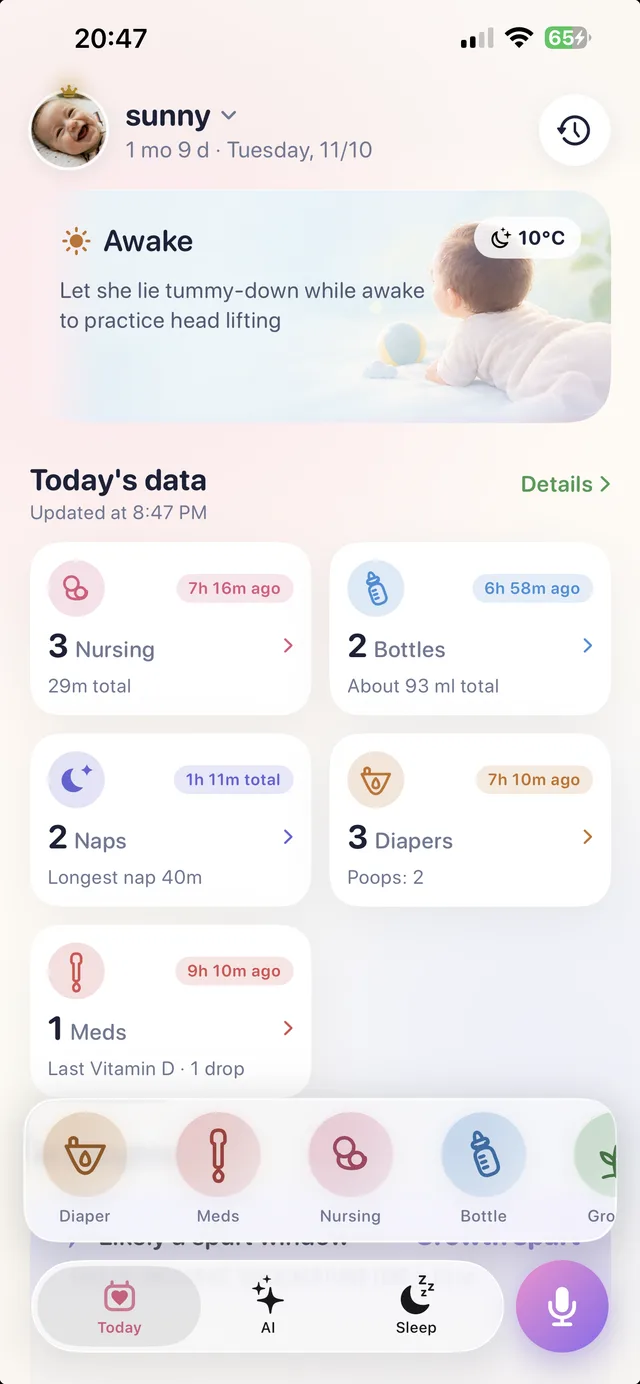
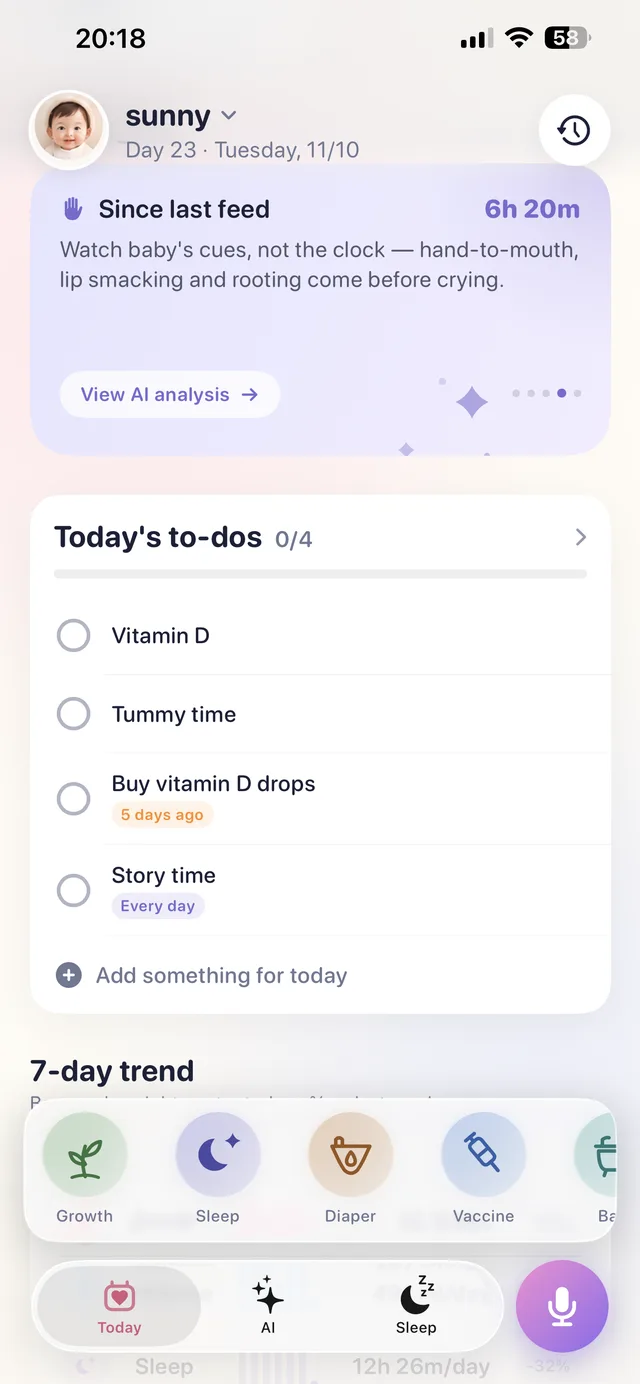
The Today page answers a parent's three most common questions at a glance: how your baby is right now, when the next feed and next sleep are likely to come, and what still needs doing today. Predictions are calculated locally on your iPhone from your own logs — no data leaves the device to make them.
One-tap logging, built for one hand
Log nursing with separate left and right timers, bottle and formula amounts, pumping, diapers, sleep, medication and baths. Timers keep running on the Lock Screen and in the Dynamic Island, so a 3 a.m. feed takes one tap, not a form.
Say it instead of typing it
Hands full? Voice logging turns a spoken sentence into a record. Watch it work in the demo videos below.
Smart amounts and trends
iFeeding suggests feeding amounts from your baby's own history, and Premium unlocks statistics and 7-day trends so patterns — not just entries — become visible.
Can an app help you understand why your baby is crying?
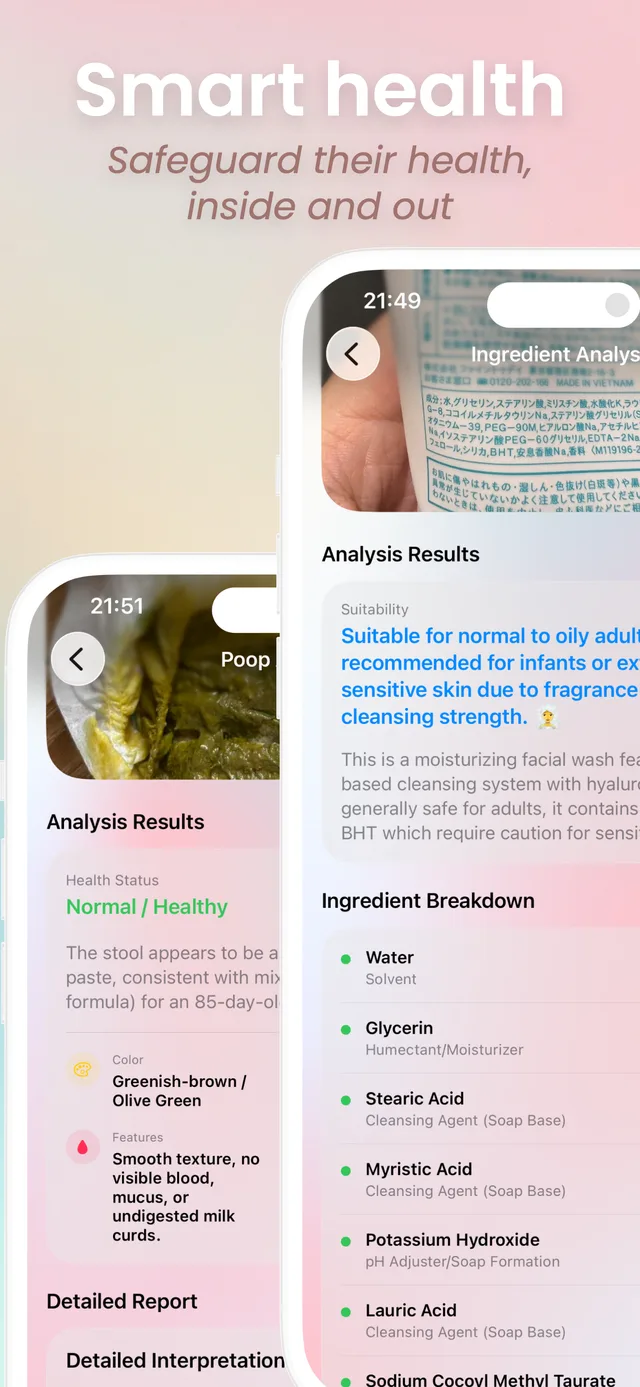
iFeeding: Baby Tracker includes AI baby behavior insights: record a short clip of your baby and the app analyzes sound, picture and recent logs to suggest whether your baby is likely hungry, sleepy or uncomfortable — and explains the cues behind the suggestion. Free downloads include trial uses: 3 behavior insights, 3 poop analyses, 3 ingredient analyses, 10 parenting-assistant messages and 3 AI reports.
Baby behavior insights
A roughly 5-second video is enough. The analysis combines what the camera sees and hears with your baby's recent feeding and sleep records, instead of guessing from the clip alone.
Poop and ingredient analysis
Photograph a diaper to log color and texture against what's typical, or photograph any food or skincare label to get its ingredients explained in plain language.
Parenting assistant
Ask questions in context: the assistant answers using your baby's age and logs, not generic advice.
AI results in iFeeding are informational support for parents. They are not a medical diagnosis and do not replace your pediatrician.
What does logging by voice look like?
Two short screen recordings from the real app: saying a feed out loud to log it (8 seconds), and asking the parenting assistant a question. No typing, no menus — built for the moments when both hands are holding the baby.
Which baby tracker predicts the next nap — and helps your baby fall asleep?
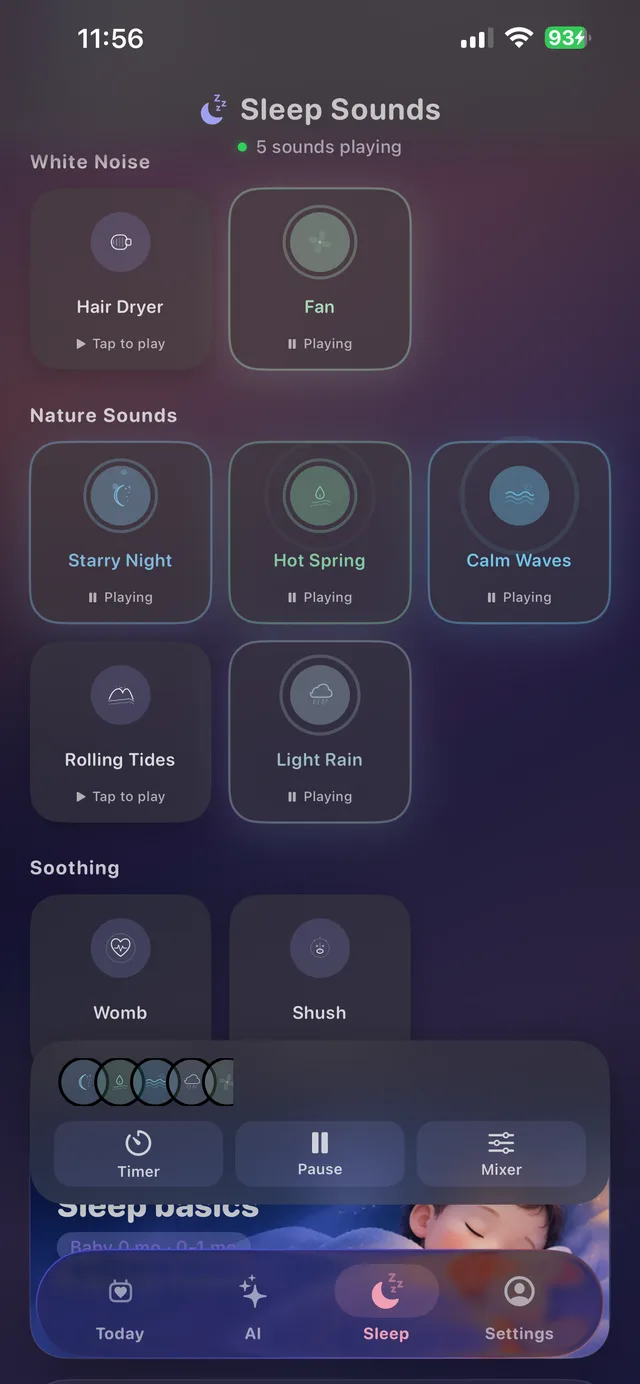
iFeeding: Baby Tracker predicts the next sleep on its Today page from your baby's own rhythm, and pairs the prediction with a sleep-sounds player: white noise, nature sounds and soothing mixes that can be layered and timed. Sleep logging, prediction and sounds live in the same app as feeding — no second subscription for sleep alone.
Wake windows without the spreadsheet
The Today page shows whether your baby is awake or asleep, how long the current stretch has lasted, and what is likely next — calculated on-device from your logs.
Reminders that follow the rhythm
Feeding, diaper and tummy-time reminders are scheduled from your baby's patterns and age, not fixed clock times.
How do you keep growth and vaccines on track?
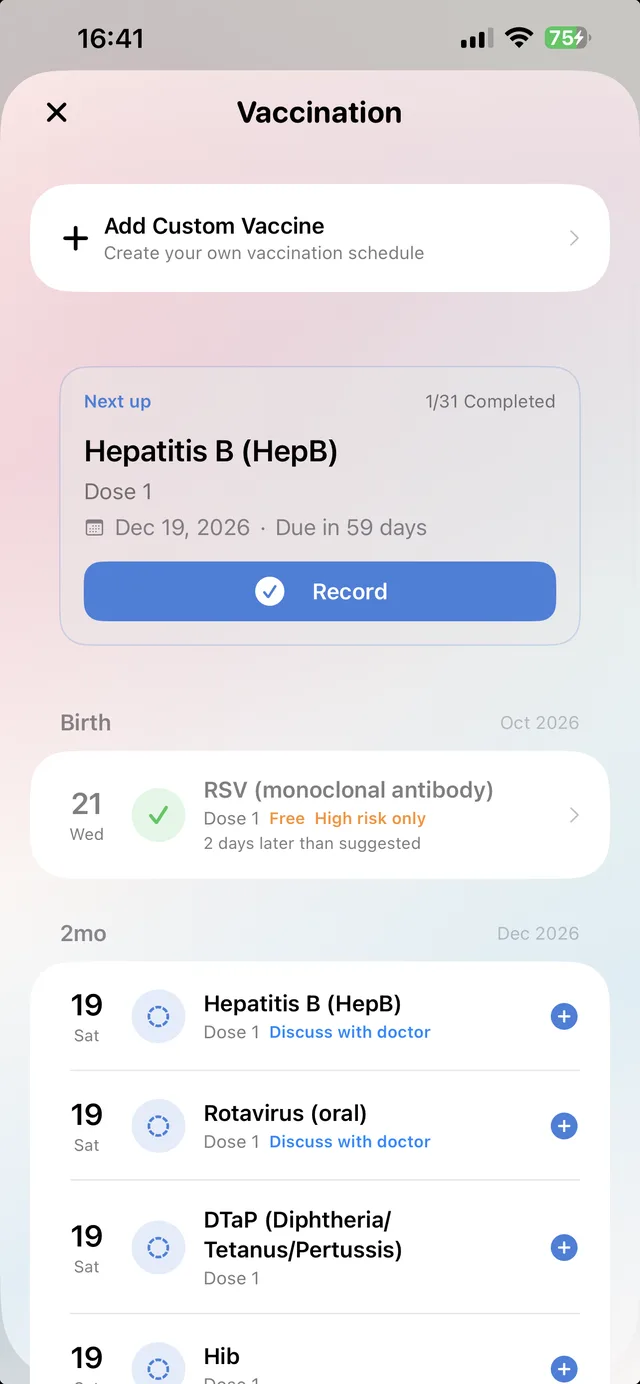
iFeeding: Baby Tracker plots weight, height and head circumference on WHO growth charts, and ships with both US and China vaccine schedules built in — each dose shown as upcoming, due or recorded, with calendar sync in Premium. Growth and health records stay in the same log as feeding and sleep, ready to show your pediatrician.
Which baby tracker app doesn't require an account?
iFeeding: Baby Tracker requires no account and shows no ads. Your baby's records are stored on your iPhone and sync only through your own iCloud account — there is no iFeeding server copy of your logs. Read the full picture on our privacy page, compare plans on the pricing page, or browse the FAQ.
Your baby's first year, in one place.
Free to download. No account, no ads — just your baby's days, understood.